Troubleshooting Notes and Tasks Creation Issues
Last updated: March 23, 2026
If you're experiencing issues with creating or viewing notes and tasks, here are the most common causes and solutions:
Refresh Your Browser
Many creation and visibility issues can be resolved by simply refreshing your browser. This is especially important after system updates, as some functionality may require a page refresh to work properly.
Creating Notes
There are multiple ways to create notes in the system:
From Account or Opportunity Pages
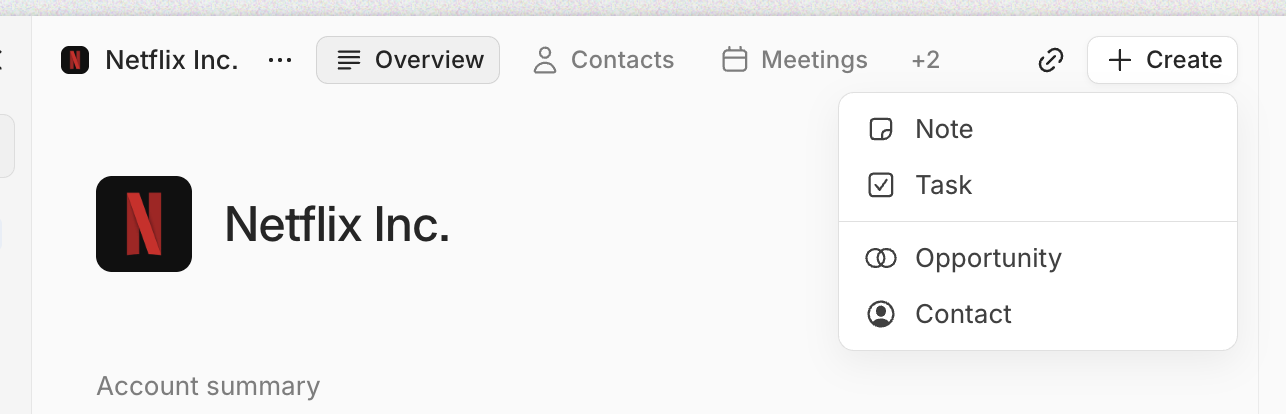
Use the + Create button at the top of the page
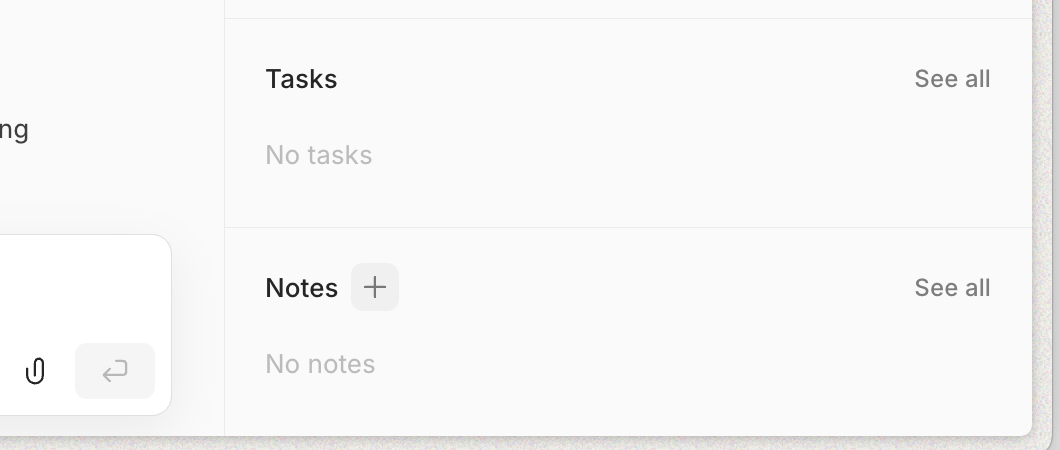
Create notes from the notes section in the details panel on the right-hand side
From the Notes View
Currently, you can only add new notes from the empty notes screen. Once you have existing notes, you'll need to create additional notes from account or opportunity pages using the methods described above.
Account Selection Requirement
When creating notes, you must first select an account for the notes to belong to. This prevents notes from being created without proper organization in your CRM.
If Issues Persist
If you continue to experience problems with notes or tasks not appearing after creation:
Refresh your browser page
Wait a few moments and check again, as there may be a brief delay
Verify you've selected the appropriate account before creating the item
These issues are typically temporary and resolve quickly with a browser refresh or brief wait.